Start a Live Slideshow
Last updated: August 5, 2026
The live slideshow turns any TV, beamer or tablet into a photo wall for your party: it plays all photos of the event and picks up new uploads automatically while your guests keep snapping.
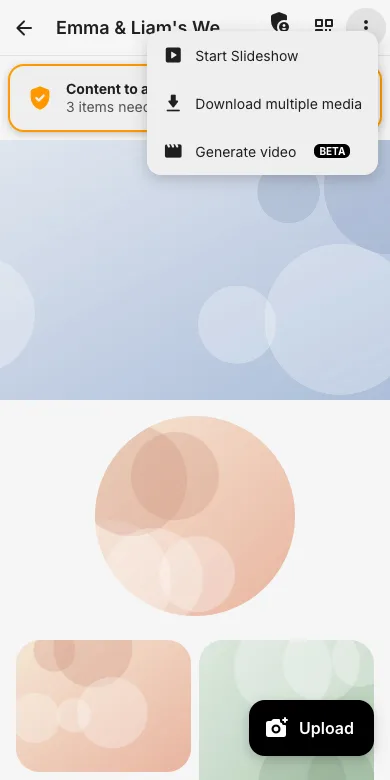
1. Open the event menu
Open your event on the device connected to the screen, tap the three-dot menu and choose Start Slideshow.
2. Lean back
The slideshow starts right away. At the bottom you can pause, switch to fullscreen or open the settings; the counter shows the current position. New uploads join the rotation automatically.

3. Tips for the party
Use a laptop with HDMI or a smart TV browser, enable fullscreen, and place a printed QR code next to the screen so guests immediately see their photos appear. A dedicated slideshow works best with an access that has view permission only.
Try it yourself
EventPics is free to start: 2 GB storage, unlimited guests, upload in the browser or the app.
Open EventPics