Free birthday photo sharing with QR code
With EventPics you collect all photos and videos of your birthday in one private album. Guests just scan the QR code, upload in seconds and you keep every perspective in original quality — no compression and no scattered chats.
The album is set up in minutes, works in the browser or via app and stays accessible after the event. Place QR codes on tables, ask friends to remind guests and start a live slideshow on TV or projector so every snapshot becomes a shared memory.



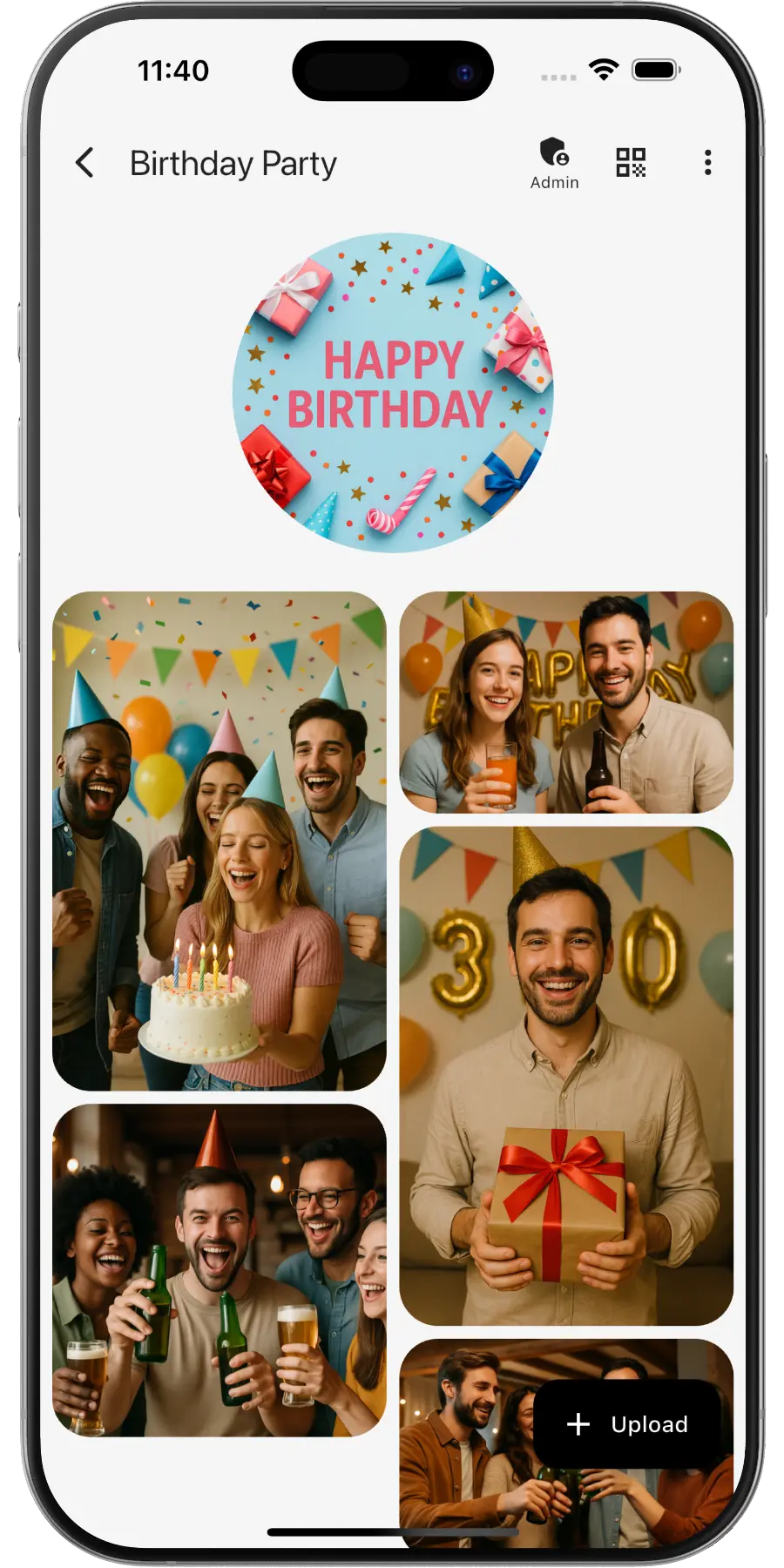
Create a private online photo gallery for your birthday with EventPics – everyone can upload and view photos.
EventPics by the numbers
Real people already trust their shared event album to EventPics.
These figures come from our own usage statistics and are updated continuously.
What users say
Birthday hosts about their shared album
30th birthday
“QR on the welcome sign – friends uploaded all evening. No more begging for photos.”
Mia, 30th birthday
Kids’ party
“Parents added videos too; we downloaded originals for a thank-you reel.”
Laura, kids party
Surprise party
“One link for everyone, even without the app. The album was live before dessert.”
Daniel, surprise host
How it works
1. Create event
Create an event titled “Birthday”. A QR code and link are generated automatically.
2. Share QR or link
Guests scan or open the link and upload right away – no account needed.
3. Upload & enjoy
Original quality for photos and videos. About 500 photos free – upgrade to Premium anytime.
QR code for your birthday
- Create your event in EventPics – the QR code is generated automatically.
- Want your own design? Generate a code with our QR Code Generator and link directly to your event.
- Step by step: how to share event photos with all your guests.
- Print the QR code and place it at the entrance, bar and tables so guests can start uploading instantly.
How to make a QR code for a birthday party
The QR code is only a shortcut to a web address, so the album has to exist first. Create the event in EventPics and the matching code is generated with it. You can then restyle it in the free QR code generator, download it as PNG for screens or SVG for print, and drop it into one of the ready made print templates.
Print the same code as often as you like. Table cards, a poster at the entrance and the invitation can all carry it, because every scan leads to the same birthday album. Add one short line next to it, for example "Scan to add your photos", and scan the printed card once with your own phone before the party.
Why a QR code album beats a group chat
Group chats compress photos and videos heavily, so what stays on your phone is a shrunken copy of the original. Pictures arrive mixed into conversation and are gone from view after a few days of scrolling. And whoever is not in the group, the colleague or the friend of a friend, never sends anything at all.
A birthday album fixes all three at once: one place for every picture, files in original quality, and access for everyone who was there, whether or not they are in any chat group.
Why EventPics is perfect for birthdays
Whether a milestone celebration or a small party – keep every photo in one place without chasing files afterwards.
QR codes make participation effortless for all guests.
Advantages over other solutions
- No account required for guests.
- Original quality rather than compressed messenger images.
- 2 GB free (~500 photos), affordable Premium plans.
- GDPR‑compliant; EU hosting for EU users.
- API uploads (e.g. photobooth) and easy QR sharing.
Tips & Best Practices
- Place the QR code near the cake/buffet so guests upload instantly.
- Name the album clearly, e.g. “Lisa’s 30th Birthday – 03 May 2025”.
- Run a quick slideshow on the TV to boost engagement.
- Use the Web App if guests don’t want to install anything.
- Share a download link after the party for everyone.
Frequently asked questions (FAQ)
Do guests need an account?
No. Guests scan the QR code or open the link and can upload right away.
How much is free?
2 GB of storage (about 500 phone photos) is always free. Free events have a 6-week event phase – for planned dates, an additional planning phase is included beforehand. With the automatic Google Drive backup, all photos and videos are kept permanently in your own Google Drive, even after expiry. All details → You can upgrade with Premium anytime.
Is the original quality preserved?
Yes. EventPics stores and lets you download in original resolution – ideal for photo books.
Where is data stored?
For EU users we store data in the EU and comply with GDPR.
Does it work without the app?
Yes. Everything works in the browser – the app is optional.
Can guests upload videos?
Yes, photos and videos are supported; the original files stay intact.
How long does the album stay online?
Free events have a 6-week event phase. With active Premium your event remains available without limit. With the automatic Google Drive backup, all photos and videos are kept permanently in your own Google Drive, even after expiry.
What happens when free storage is full?
You can upgrade to Premium anytime or delete files you no longer need.
How do I connect a photo booth?
Your photobooth can upload automatically via the EventPics API. The invitation link is intended for guests, not for the booth.
Can I moderate uploads?
Yes, you can remove individual uploads or close the event if you want to stop new uploads.