Free Company Event Photo Sharing App: QR Code Upload for Employees
With EventPics you collect all photos and videos of your company event in one private album. Guests just scan the QR code, upload in seconds and you keep every perspective in original quality — no compression and no scattered chats.
The album is set up in minutes, works in the browser or via app and stays accessible after the event. Place QR codes on tables, ask friends to remind guests and start a live slideshow on TV or projector so every snapshot becomes a shared memory.



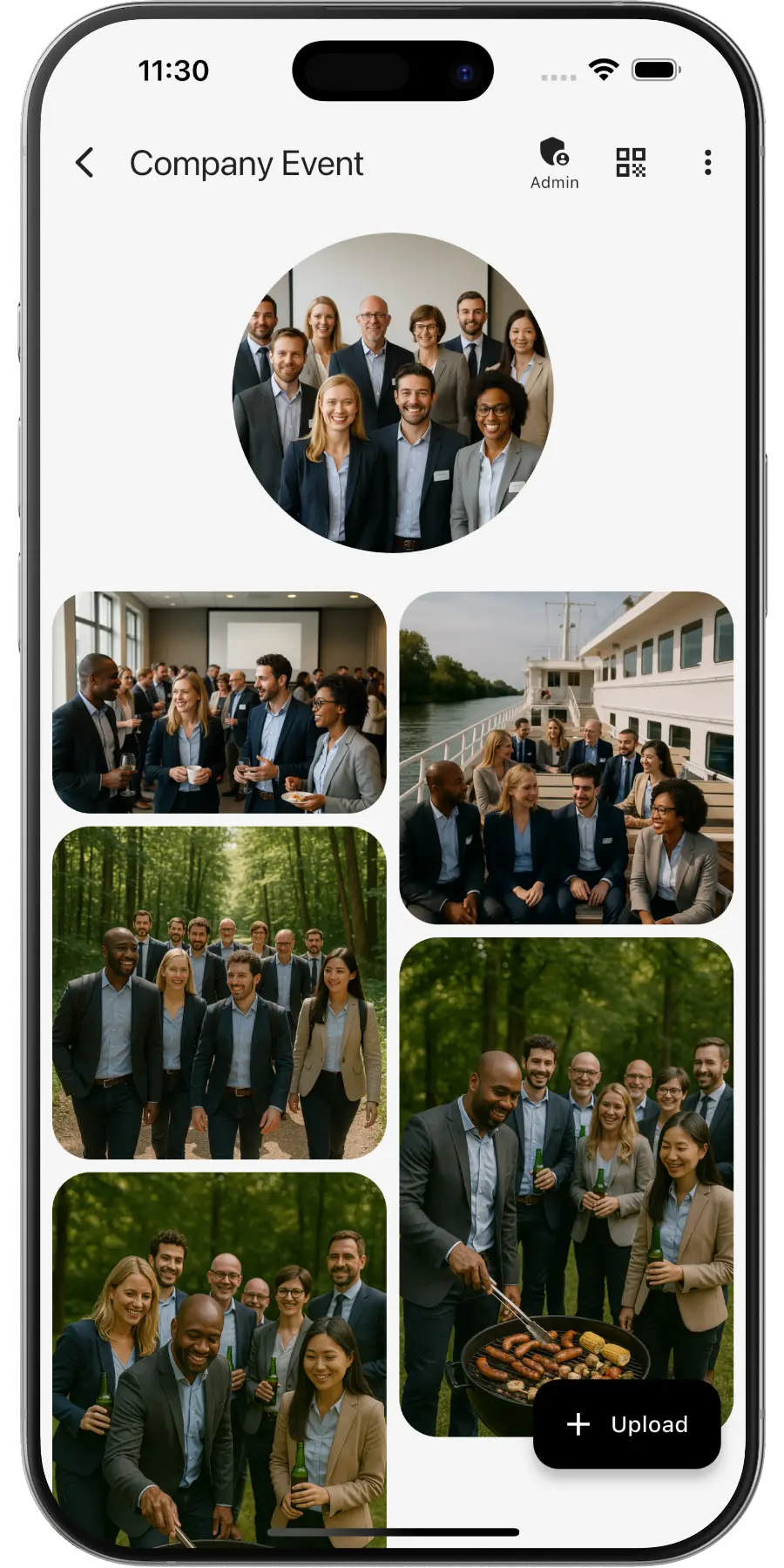
Create a private online photo gallery for your company event – teammates and guests can upload and view photos. It works like any event photo sharing with a QR code: one code, one shared album.
EventPics by the numbers
Real people already trust their shared event album to EventPics.
These figures come from our own usage statistics and are updated continuously. As of .
What users say
Wedding
„It's a great app and the customer service is one of the best I've ever experienced! Highly recommend for any bride/groom to use for their big day!“
Millie7891 · App Store
Family gathering
„When you have an open house gathering and all your family members are hosting, topping up food/ drinks etc, you dont have time to take photos of the guests who attended. With eventpics, just print a bunch of QR codes, scatter them all over the house and just watch your album filled up with pics of happy, well fed guests.“
Zul A · Google Play
Support
„This app worked well for gathering pics from 2 events. The only downside is that once uploaded you can't see who uploaded them. We had a small issue logging on initially but support was quick and solved. I judge a site by its service and they did well!“
Caroline Bareham · Google Play
How it works
1. Create event
Create an event titled “Company event”. A QR code and link are generated automatically.
2. Share QR or link
Team and guests scan or open the link and upload right away – no registration needed.
3. Upload & enjoy
Original quality for photos and videos. About 500 photos free – upgrade to Premium anytime.
QR code for your company event
- Create your event in EventPics – the QR code is generated automatically.
- Want your own design? Generate a code with our QR Code Generator and link directly to your event.
- Step by step: how to share event photos with all your guests.
- Print the QR code and place it at the entrance, bar and tables so guests can start uploading instantly.
Why EventPics is perfect for company events
Team building, summer party, or offsite – document your event centrally and share highlights internally or publicly. For smaller groups there is the team event photo app, and for the end of the year Christmas party photo sharing.
QR codes at the venue make participation effortless. Optional moderation keeps you in control. A Christmas photo scavenger hunt gets even quiet colleagues taking pictures at the holiday party.
Advantages over other solutions
- No guest accounts required; QR/link access.
- Original quality and structured albums.
- 2 GB free (~500 photos); flexible Premium upgrades.
- GDPR‑compliant; EU hosting for EU users.
- Automated uploads (photobooth, scripts) via EventPics API.
- Live slideshows on monitors/projectors.
Tips & Best Practices
- Place QR codes at the entrance, bar and near session rooms.
- Use a title with date/location, e.g. “Summer Party Berlin 2026”.
- Run a live slideshow on screens/projectors to drive uploads.
- Enable moderation if you want to review before publishing.
- Share highlights internally (intranet) or externally afterwards.
Photos at company events and data protection
At the Christmas party or the summer party, colleagues take pictures of each other. Those photos are personal data. EventPics gives you the tools to handle them with care:
- Private album: Only people with the QR code or link get in. The album cannot be found publicly.
- Permissions per access: You decide whether guests may only upload, also view or also download, and you can create separate accesses for the team or the photographer. How it works.
- Upload approval: If you want, a photo only appears once an admin has approved it. Set up upload approval.
- Report and remove: Anyone who does not want to see themselves in a photo can report it. It disappears from the gallery right away until an admin decides. More about this.
- Data processing agreement: For companies there is a data processing agreement (DPA) under Art. 28 GDPR.
- Storage location: EU events are stored on servers in the EU.
Our tip: tell your staff beforehand that there is a shared album and who can see it, and check with your data protection officer whether you need consent. People who prefer not to be photographed should be able to show it easily, for example with a sticker on their name badge.
Frequently asked questions (FAQ)
Do guests need an account?
No. Guests scan the QR code or open the link and can upload right away.
How much is free?
2 GB of storage (about 500 phone photos) is always free. Free events have a 6-week event phase – for planned dates, an additional planning phase is included beforehand. With Google Drive connected, every photo and video also lands in your own Google Drive and stays there, even after the event expires. All details → You can upgrade with Premium anytime.
Is the original quality preserved?
Yes. EventPics stores and lets you download in original resolution – ideal for photo books.
Where is data stored?
For EU users we store data in the EU and comply with GDPR.
Does it work in the browser?
Yes. Everything works in the browser, the app is optional.
Can guests upload videos?
Yes, photos and videos are supported; the original files stay intact.
How long does the album stay online?
Free events have a 6-week event phase. With active Premium your event remains available without limit. With Google Drive connected, every photo and video also lands in your own Google Drive and stays there, even after the event expires.
What happens when free storage is full?
You can upgrade to Premium anytime or delete files you no longer need.
How do I connect a photo booth?
Your photobooth can upload automatically via the EventPics API. The invitation link is intended for guests, not for the booth.
Can I moderate uploads?
Yes, you can remove individual uploads or close the event if you want to stop new uploads.