Free Christmas party photo sharing with QR code
With EventPics you collect all photos and videos of your Christmas party in one private album. Guests just scan the QR code, upload in seconds and you keep every perspective in original quality — no compression and no scattered chats.
The album is set up in minutes, works in the browser or via app and stays accessible after the event. Place QR codes on tables, ask friends to remind guests and start a live slideshow on TV or projector so every snapshot becomes a shared memory.
Want to get everyone taking photos? Print our free Christmas photo scavenger hunt cards with the QR code to your album.



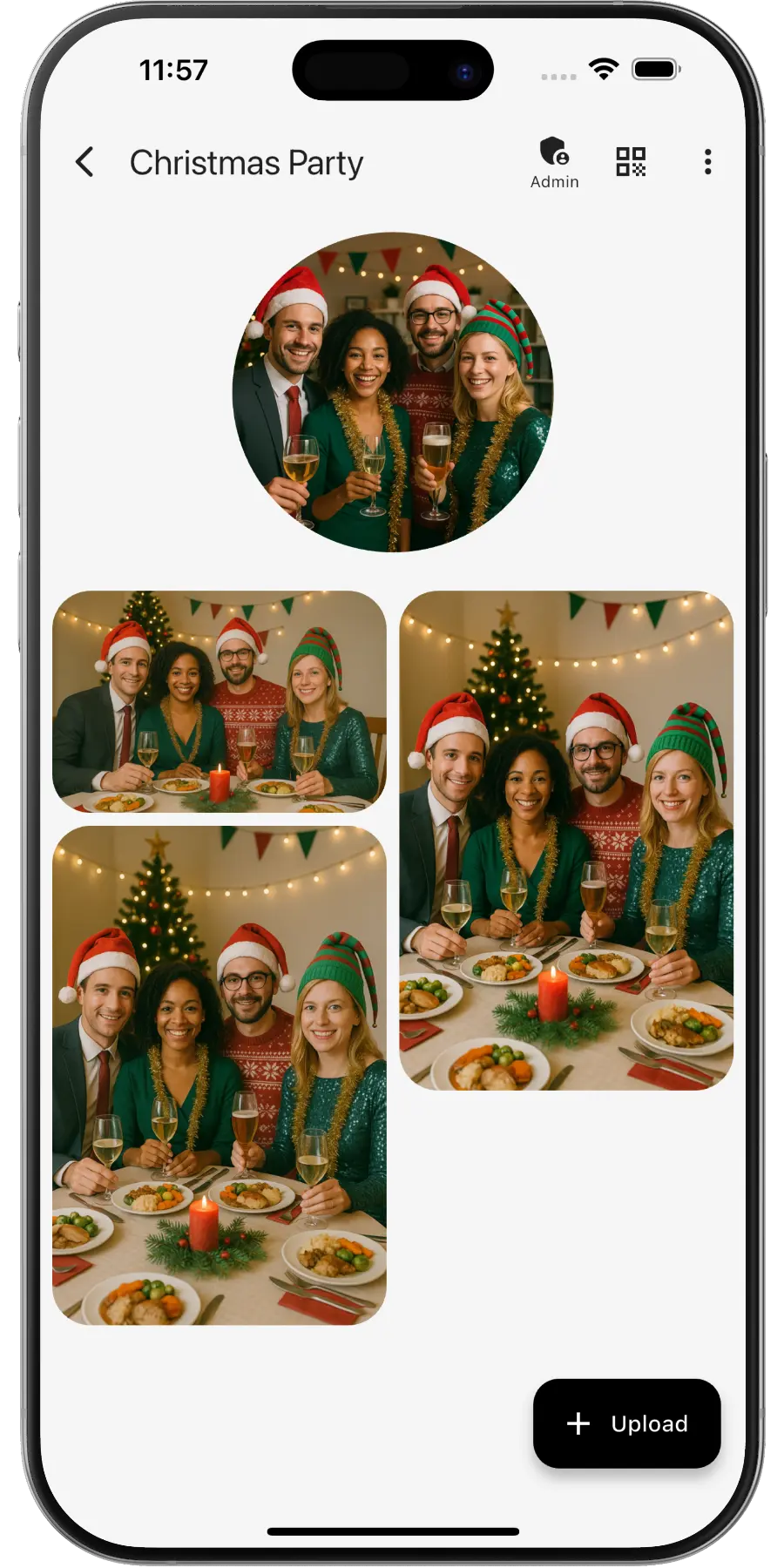
Create a private online photo gallery for your Christmas party – teammates and guests can upload and view photos.
EventPics by the numbers
Real people already trust their shared event album to EventPics.
These figures come from our own usage statistics and are updated continuously. As of .
What users say
Wedding
„It's a great app and the customer service is one of the best I've ever experienced! Highly recommend for any bride/groom to use for their big day!“
Millie7891 · App Store
Family gathering
„When you have an open house gathering and all your family members are hosting, topping up food/ drinks etc, you dont have time to take photos of the guests who attended. With eventpics, just print a bunch of QR codes, scatter them all over the house and just watch your album filled up with pics of happy, well fed guests.“
Zul A · Google Play
Support
„This app worked well for gathering pics from 2 events. The only downside is that once uploaded you can't see who uploaded them. We had a small issue logging on initially but support was quick and solved. I judge a site by its service and they did well!“
Caroline Bareham · Google Play
How it works
1. Create event
Create an event titled “Christmas party”. A QR code and link are generated automatically.
2. Share QR or link
Team scans or opens the link and uploads right away – no registration required.
3. Upload & enjoy
Original quality; 2 GB free – Premium available anytime.
QR code for your Christmas party
- Create the event in EventPics and the QR code is ready. Want it in your company colors? Use our QR Code Generator or one of the print templates.
- Place it on the table cards at dinner, next to the mulled wine and at the photo booth.
- Show it on the big screen during the welcome speech, so everybody scans at the same moment.
- Add the link to the calendar invitation or the internal newsletter, so colleagues working remotely can contribute too.
- Need a walkthrough? Step by step: how to share event photos.
Christmas party photos: who has them afterwards?
At a company Christmas party, everyone is a photographer and nobody is in charge of the pictures. Colleagues snap the Secret Santa, their team table and the dance floor, and the photos stay on private phones or in group chats that half the company is not part of. In January someone from HR or the office asks for pictures and gets a few blurry forwards. With one QR code, mulled wine, Secret Santa and good vibes end up in a single album for the whole team, in original quality, ready to share internally or with guests.
For other team occasions, see company event photo sharing and the team event photo app.
Christmas party photo ideas
- Every department at its table, one group photo per team
- The Secret Santa exchange and the faces when gifts are opened
- An ugly sweater line-up or a vote for the best festive outfit
- The speech and toast by the management
- Photo booth pictures with hats, antlers and props
- The buffet, the dessert table and the decorated venue
- Short videos from the dance floor later in the evening
- A thank-you photo of the people who organized it all
Tips for the organizing team
- Mention the album in the welcome speech. One sentence from the stage does more than any sign.
- Run a live slideshow on the venue screen, so colleagues see their photos appear and keep uploading.
- Connect the photo booth via the Folder Uploader or the API, so booth pictures and guest photos end up in one album.
- Before photos go into the newsletter or on social media, check with the people in them. Consent is the organizer’s responsibility.
- In January, share a highlight video or a best-of link on the intranet, and download the full set as a ZIP for the company archive.
Frequently asked questions (FAQ)
Can we show the photos on the screen at the venue?
Yes. Start the live slideshow on a TV or projector and new uploads appear while the party is going on.
Can we use the photos for the newsletter or social media?
You can download all originals. Whether you may publish them depends on the people shown, and getting their consent is the organizer’s responsibility.
Where is the data stored?
For EU users data is stored on EU servers.
Can remote colleagues contribute?
Yes. Share the link by email or chat and they can upload and view photos from wherever they are.
Do guests need an account?
No. Guests scan the QR code or open the link and can upload right away.
How much is free?
2 GB of storage (about 500 phone photos) is always free. Free events have a 6-week event phase. For planned dates, an additional planning phase is included beforehand. With Google Drive connected, every photo and video also lands in your own Google Drive and stays there, even after the event expires. All details → You can upgrade with Premium anytime.
Is the original quality preserved?
Yes. EventPics stores and lets you download in original resolution, ideal for prints.
Can guests upload videos?
Yes, photos and videos are supported; the original files stay intact.