QR code for wedding photos: every guest photo in one album
Collect all wedding photos from guests in one private online gallery. Place a QR code on the tables – guests scan, upload, done. Original quality, in the browser or the app, no registration.
Tip: For invitations and table cards you can also create your QR code in a heart shape, free of charge and scannable with any phone camera.


✓ GDPR-compliant, EU hosting for EU users ✓ 2 GB permanently free
Thousands of unforgettable moments already captured
740,243users have tried EventPics.
3,361,453photos and videos have been uploaded.
41,510events have been created.
These figures come from our own usage statistics and are updated continuously. As of .
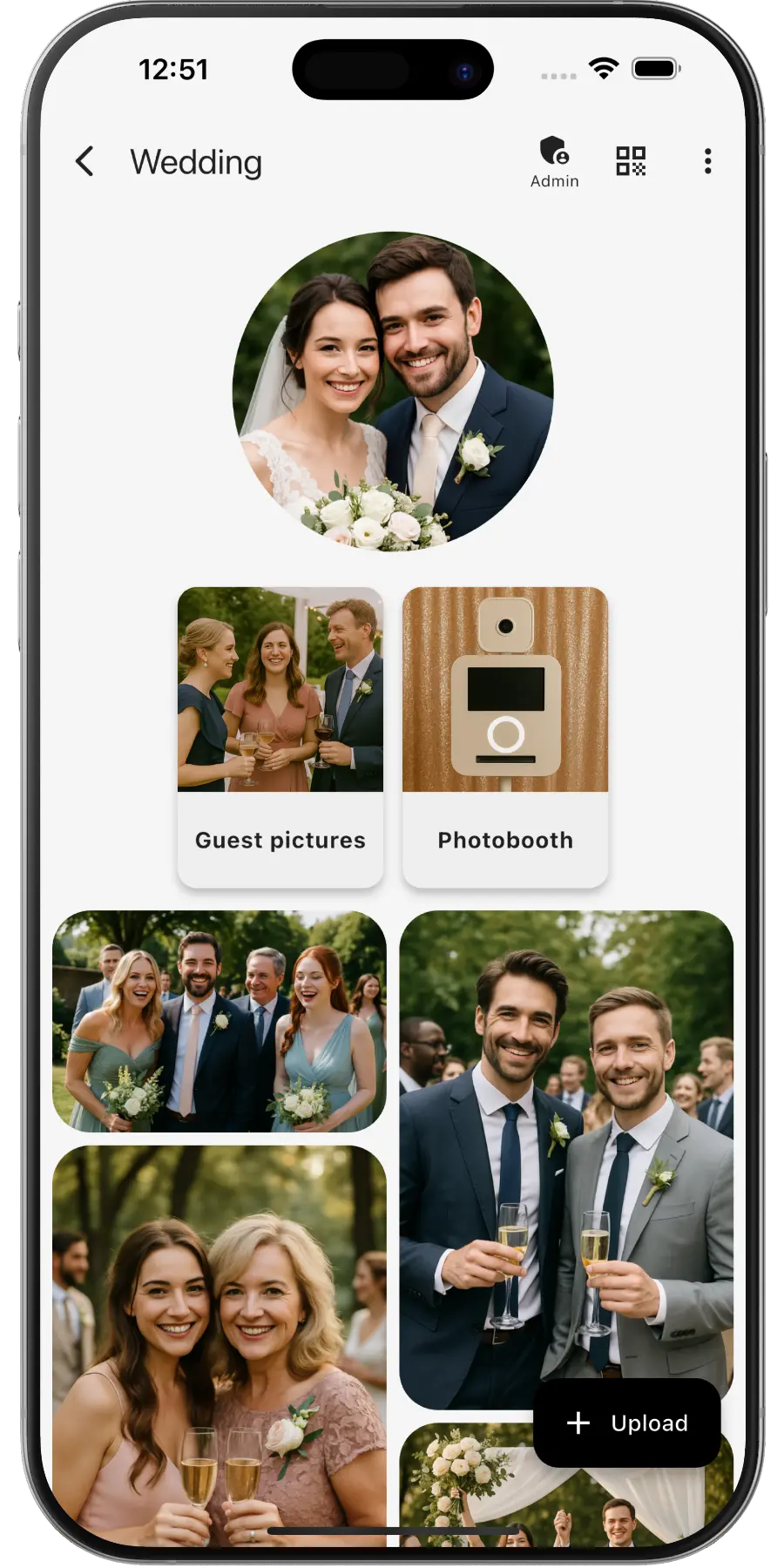
The easiest way to collect wedding photos from guests
We all know the problem: after the wedding, couples spend weeks chasing guest photos. They arrive via WhatsApp – compressed, scattered across chats, and often lost forever.
With a wedding QR code for photos, EventPics puts an end to that:
- ✅ Full quality: All photos stay high-resolution for your photo book.
- ✅ Ready in minutes: Place QR codes on tables, guests scan, done.
- ✅ Live slideshow: Display uploaded party photos on a projector or TV!
- ✅ All photos at once: Download everything as a convenient ZIP archive after the celebration.
3 steps to the perfect online photo gallery
1. Create event
Sign up briefly and give your wedding a name. We instantly generate your personal QR code and link.
2. Share QR code
Print the QR code and place it as a table card, at the bar or at the entrance.
3. Guests upload photos
Guests scan the code with their phone camera and upload their best shots right in the browser!
How to make a QR code for your wedding photos
Create your event and the QR code appears right away, together with a link. There is no extra step and no waiting: the code works from the first second. In the template editor you pick a ready-made layout and download it as a PDF, in A4, A5, A6 or A7, portrait or landscape, with room for your names and the date. Print it, put it out, done. If you need the code again later, you find it in the admin area of your event. Prefer your own design? The free QR code generator lets you change colours and shape.
Where to put the QR code at the wedding
The best place is the table. Guests see the code while they wait for the next course, and those quiet minutes are when photos get uploaded. A code on every table works better than one at the entrance.
- On the tables: as a table card between the flowers and candles, not behind them.
- At the reception: catches guests before they sit down.
- On the invitation: prepares everyone before the day even starts. The same works for the hen night, see bachelor or hen party photo sharing.
- Next to the photo booth: the booth pictures land in the same album.
- On the thank-you card: a reminder of the photos still sitting on their phones.
So the QR code actually gets scanned
- At least 3 cm per side, on table cards better 4 cm. Smaller codes are hard to scan in dim light.
- Dark on light, on a plain background. Many cameras fail on patterns or photos.
- One sentence next to it that says what happens, for example "Scan the code and share your photos with us".
- No glossy lamination where candles reflect on it, the most common reason a code is not recognised.
- Test it beforehand with someone else's phone, not your own.
- Mention it again in the evening, for example when the cake is cut, for everyone who missed the table card.
Comparison: Wedding photos with EventPics vs. WhatsApp & cloud storage
| Feature | EventPics | WhatsApp group | Cloud folder |
|---|---|---|---|
| Original quality | ✅ Yes | ❌ Often compressed | ✅ Yes |
| Upload in the browser | ✅ Yes, browser + QR code | ❌ WhatsApp required | ❌ Account/app often needed |
| Privacy | ✅ Private event gallery | ❌ Phone numbers visible | ⚠️ Sharing permissions error-prone |
| Overview after wedding | ✅ All uploads in one place | ❌ Photos scattered in chats | ⚠️ Manual folder maintenance |
Tip: For the best upload rate, place the QR code on every table and additionally at the entrance. The same setup also works for later celebrations, for example baptism photo sharing or family gathering photo sharing.
What users say
Wedding
„It's a great app and the customer service is one of the best I've ever experienced! Highly recommend for any bride/groom to use for their big day!“
Millie7891 · App Store
Family gathering
„When you have an open house gathering and all your family members are hosting, topping up food/ drinks etc, you dont have time to take photos of the guests who attended. With eventpics, just print a bunch of QR codes, scatter them all over the house and just watch your album filled up with pics of happy, well fed guests.“
Zul A · Google Play
Support
„This app worked well for gathering pics from 2 events. The only downside is that once uploaded you can't see who uploaded them. We had a small issue logging on initially but support was quick and solved. I judge a site by its service and they did well!“
Caroline Bareham · Google Play
Wedding photo sharing apps compared
Prices, free plans and how long photos stay online: every wedding service side by side, each value checked on the provider's own site. EventPics is in there on the same terms.
Frequently asked questions (FAQ)
How do I make a QR code for wedding photos?
Create your event and the code appears right away. In the template editor you choose a print layout and download it as a PDF. That takes about two minutes and costs nothing.
Does the QR code work without internet at the venue?
Scanning needs a connection, because the code only contains a link. Guests without reception can upload their photos later from home, the album stays open.
Can I change the QR code later?
The code stays the same as long as the event exists, so printed cards never stop working.
Which print sizes are available?
A4, A5, A6 and A7, each in portrait and landscape. A6 works well as a table card, A7 as a place card.
Do wedding guests need to download the app?
The app is optional, everything also works in the browser. Guests simply scan the printed QR code with their phone camera or open the link in their browser. Uploading works instantly and without registration.
Is wedding photo sharing really free?
Yes, EventPics offers 2 GB of storage permanently free. That's enough for about 500 smartphone photos in original quality. For larger weddings you can upgrade to an affordable Premium plan at any time.
Is the original photo quality preserved?
Absolutely. Unlike WhatsApp or other messengers, we don't compress your photos. You get all guest photos in full resolution – perfect for your printed wedding album.
Where are the wedding photos stored?
Privacy is important to us. For EU users, all photos and videos are stored GDPR-compliant on secure servers within the European Union.
Can I connect a photo booth?
Yes! Via our Folder Uploader or the API you can automatically upload photos from your photo booth directly into your EventPics gallery.
Can guests upload videos too?
Yes, photos and videos are both supported. The original files stay intact – no compression.