Free bachelor or hen party photo sharing with QR code
With EventPics you collect all photos and videos of your bachelor or hen party in one private album. Guests just scan the QR code, upload in seconds and you keep every perspective in original quality — no compression and no scattered chats.
The album is set up in minutes, works in the browser or via app and stays accessible after the event. Place QR codes on tables, ask friends to remind guests and start a live slideshow on TV or projector so every snapshot becomes a shared memory.



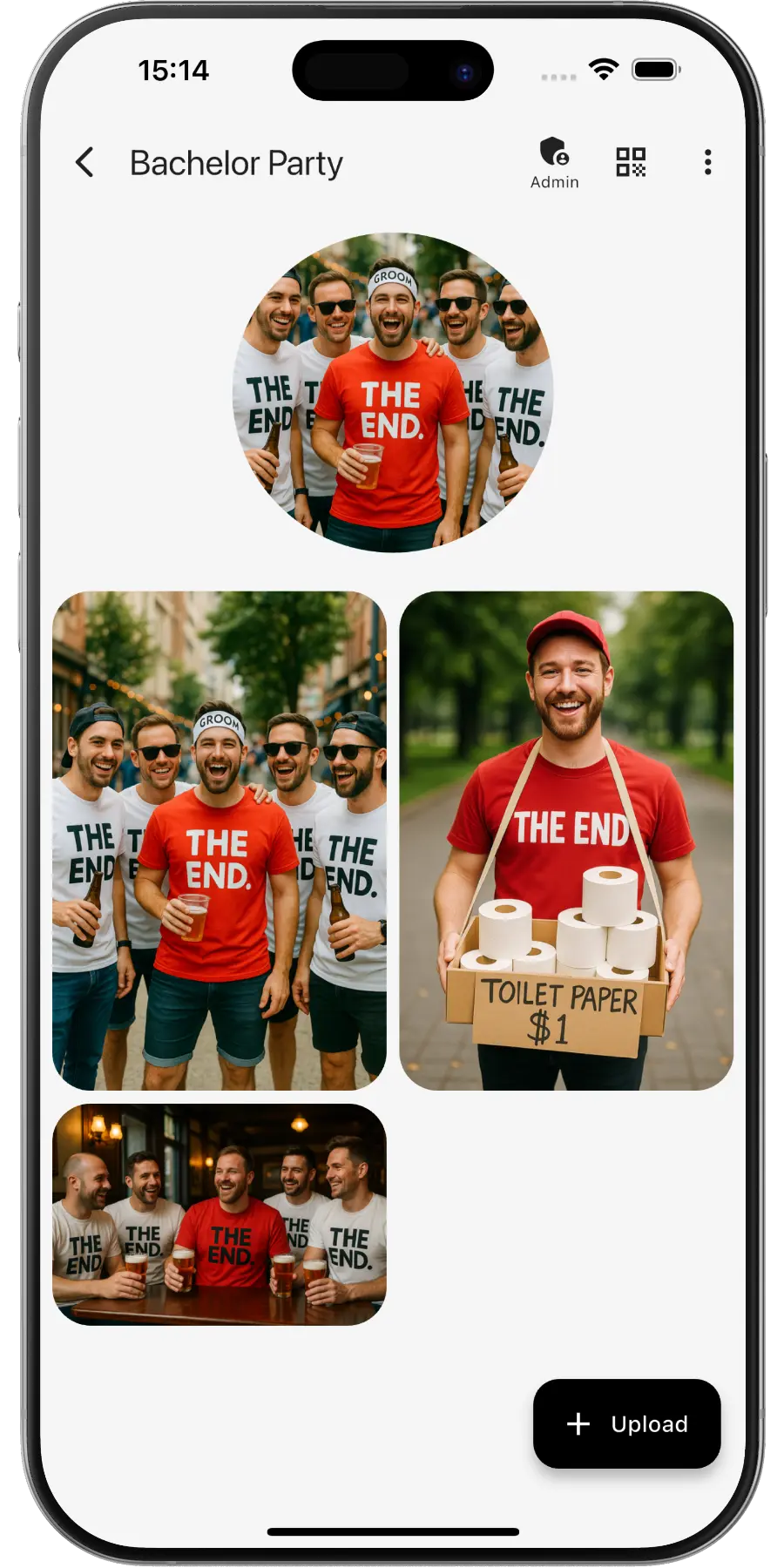
Create a private online photo gallery for your bachelor/hen party – keep every highlight together. Planning the wedding too? Use the same idea with a QR code for wedding photos.
EventPics by the numbers
Real people already trust their shared event album to EventPics.
These figures come from our own usage statistics and are updated continuously. As of .
What users say
Wedding
„It's a great app and the customer service is one of the best I've ever experienced! Highly recommend for any bride/groom to use for their big day!“
Millie7891 · App Store
Family gathering
„When you have an open house gathering and all your family members are hosting, topping up food/ drinks etc, you dont have time to take photos of the guests who attended. With eventpics, just print a bunch of QR codes, scatter them all over the house and just watch your album filled up with pics of happy, well fed guests.“
Zul A · Google Play
Support
„This app worked well for gathering pics from 2 events. The only downside is that once uploaded you can't see who uploaded them. We had a small issue logging on initially but support was quick and solved. I judge a site by its service and they did well!“
Caroline Bareham · Google Play
How it works
1. Create event
Create an event titled “Bachelor party”. A QR code and link are generated automatically.
2. Share QR or link
Everyone scans or opens the link and uploads their best shots – no account needed.
3. Upload & enjoy
Original quality; ~500 photos free – upgrade to Premium anytime.
QR code for your bachelor or hen party
- Create the event in EventPics and the QR code appears at once. Want it to match the party theme? Design it with our QR Code Generator.
- Post the link in the crew chat before day one, so nobody has to scan anything in a dark bar.
- Print the code on the itinerary, the goodie bags or the back of the matching shirts.
- Leave one on the table of the rented holiday flat or the restaurant, where the group gathers between activities.
- Never set up a shared album before? Step by step: how to share event photos.
Why stag and hen party photos get lost
A bachelor or hen party often stretches over a whole weekend: an activity in the afternoon, dinner, a few bars, sometimes a trip abroad. The group is small, but everyone films nonstop, and by Sunday the pictures are spread over eight phones, three chats and stories that vanish after a day. Messengers compress everything, so the funniest clips look blurry when you want them later for the wedding speech. One shared album holds every highlight from the first surprise to the last stop, without chat chaos or compression artifacts, and the organizers stay in control of what remains in it.
For any other celebration, here is the QR code for party pictures.
Shots the whole crew will want later
- The moment the bride or groom finds out what is planned, or sees the costume
- Everyone in matching shirts at the meeting point
- The main activity: go-karting, a cooking class, an escape room or a boat trip
- Each dare from the challenge list, ticked off one by one
- Toasts at dinner and the speeches nobody remembers the next morning
- Short videos from the dance floor
- The late-night snack or the sunrise on the way back
- A calm group photo on the last day, perfect for the wedding slideshow
Tips for the organizers
- Create the album as an organizer, not as the guest of honor, so the program stays a surprise.
- Turn the classic dare list into photo challenge cards. Every completed task lands in the album as proof.
- Remind the group to upload after each stop, while batteries and memories are still fresh.
- As admin you can remove individual uploads, so anything too wild for the wedding guests disappears before you share the album further.
- After the weekend, put together a highlight video or play a recap slideshow before the wedding.
- Download the originals as a ZIP for the best man, the maid of honor or whoever gives the speech.
Frequently asked questions (FAQ)
Does it work when the party takes place abroad?
Yes. Guests only need mobile data or Wi-Fi. The app is optional and everything works in the browser, so nobody has to install anything on the road.
Can embarrassing photos be removed?
Yes. As the event admin you can remove individual uploads, or close the event to stop new uploads.
When should the bride or groom get the link?
Whenever you like. Many groups share it during the party, others keep the album as a surprise and send it after the weekend or on the wedding day.
Do guests need an account?
No. Guests scan the QR code or open the link and can upload right away.
How much is free?
2 GB of storage (about 500 phone photos) is always free. Free events have a 6-week event phase. For planned dates, an additional planning phase is included beforehand. With Google Drive connected, every photo and video also lands in your own Google Drive and stays there, even after the event expires. All details → You can upgrade with Premium anytime.
Is the original quality preserved?
Yes. EventPics stores and lets you download in original resolution, ideal for prints.
Can guests upload videos?
Yes, photos and videos are supported; the original files stay intact.