Free family gathering photo sharing with QR code
With EventPics you collect all photos and videos of your family gathering in one private album. Guests just scan the QR code, upload in seconds and you keep every perspective in original quality — no compression and no scattered chats.
The album is set up in minutes, works in the browser or via app and stays accessible after the event. Place QR codes on tables, ask friends to remind guests and start a live slideshow on TV or projector so every snapshot becomes a shared memory.



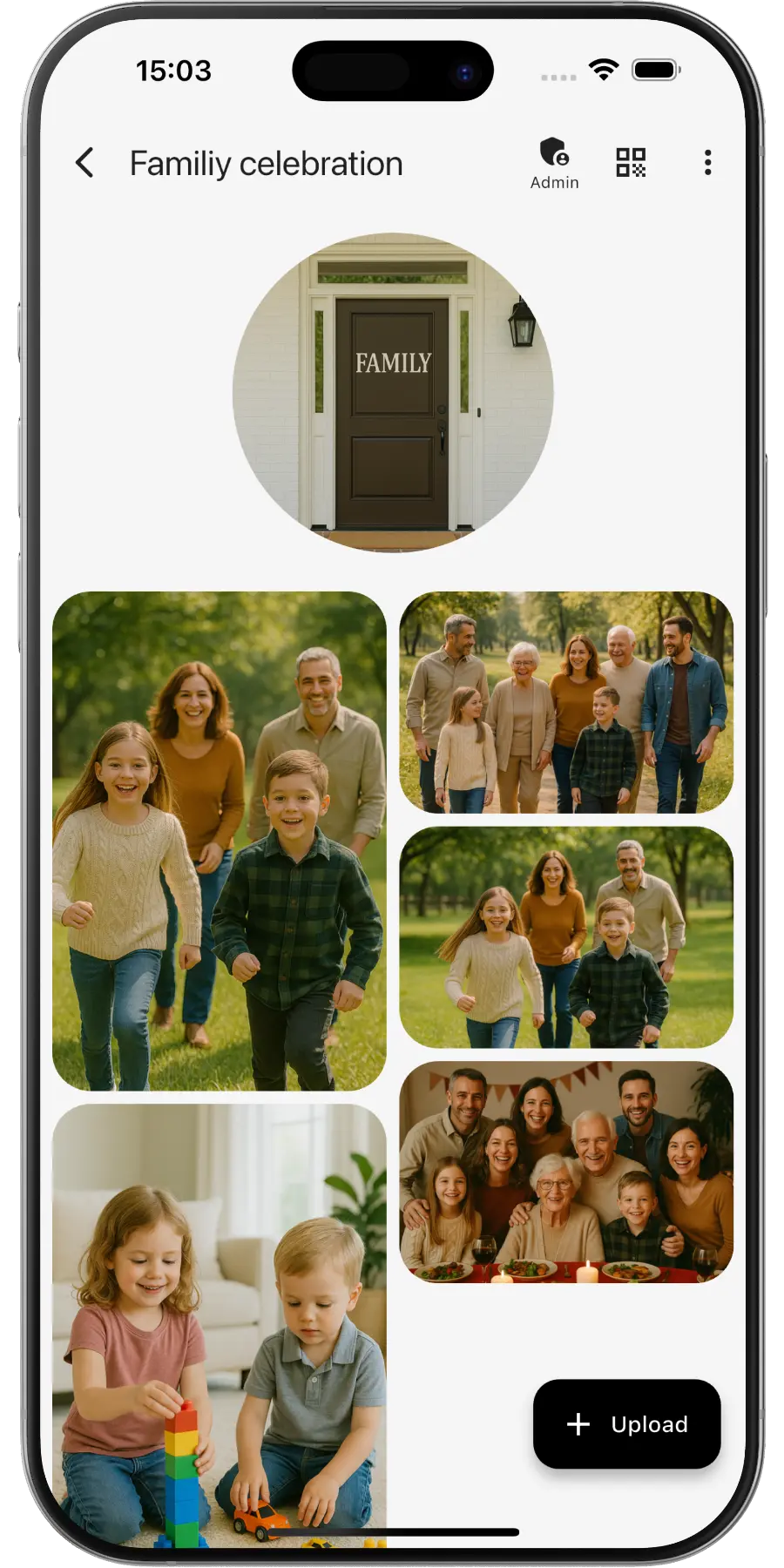
Create a private online photo gallery for your family gathering – everyone can upload and view photos. Throwing a more casual get-together? Here is the QR code for party pictures.
EventPics by the numbers
Real people already trust their shared event album to EventPics.
These figures come from our own usage statistics and are updated continuously. As of .
What users say
Wedding
„It's a great app and the customer service is one of the best I've ever experienced! Highly recommend for any bride/groom to use for their big day!“
Millie7891 · App Store
Family gathering
„When you have an open house gathering and all your family members are hosting, topping up food/ drinks etc, you dont have time to take photos of the guests who attended. With eventpics, just print a bunch of QR codes, scatter them all over the house and just watch your album filled up with pics of happy, well fed guests.“
Zul A · Google Play
Support
„This app worked well for gathering pics from 2 events. The only downside is that once uploaded you can't see who uploaded them. We had a small issue logging on initially but support was quick and solved. I judge a site by its service and they did well!“
Caroline Bareham · Google Play
How it works
1. Create event
Create an event titled “Family gathering”. A QR code and link are generated automatically.
2. Share QR or link
Family scans or opens the link and uploads instantly – no registration required.
3. Upload & enjoy
Original quality; ~500 photos free – upgrade to Premium anytime.
QR code for your family gathering
- Create the event in EventPics and the QR code comes with it. For a personal design, use our QR Code Generator.
- At a reunion in a garden or a rented hall, put the code where everyone passes: the buffet, the drinks table or the gift table.
- Add the link to the invitation, so relatives can upload old family photos before the day.
- Print a few extra cards for the tables where the older generation sits, and help the first person scan.
- Step by step: how to share event photos with all your guests.
Why family photos end up scattered
Family gatherings bring together people who rarely see each other: cousins from other cities, grandparents, in-laws, new partners and lots of small children. Everybody takes photos, but the family does not share one chat, so the pictures stay with whoever took them. Teenagers post to their stories, an uncle sends three photos to one sibling, and the big group photo exists in twelve slightly different versions. Birthday, baptism or barbecue: one album keeps every photo in one place and shares it with the whole family. QR codes make it easy even for relatives who rarely install apps.
For a big birthday, the birthday photo challenge gives every guest something to photograph. The same album also lets you share vacation photos after a family trip.
Family gathering photo ideas
- The big family photo, taken early before anyone has to leave
- Each branch of the family on its own, and the grandparents with all grandchildren
- Generation photos: grandmother, mother and daughter in the same pose
- Recreating an old family picture in the same spot
- The cooks at the grill or in the kitchen
- Children’s games in the garden, as short videos
- Old photo albums someone brought along, photographed page by page
- Goodbye hugs at the end of the day
Tips for family reunions
- Choose one person to look after the album, usually whoever organizes the gathering anyway.
- Point older relatives to the browser upload; the app is optional.
- Take the group photo in the first hour and upload it straight away, so everyone gets the same version.
- Ask relatives who could not come to add photos from their side of the family. Over time the album becomes a small family archive.
- Afterwards, show a best-of slideshow at the next get-together and download the originals as a ZIP for prints. With Google Drive connected, every photo and video also lands in your own Google Drive and stays there, even after the event phase.
Frequently asked questions (FAQ)
Can relatives who could not come see the photos?
Yes. Send them the link and they can view the album and add their own photos in the browser.
Can grandparents use it without help?
Usually yes. They scan the QR code with the phone camera and the album opens in the browser. The app is optional.
Can we add old family photos too?
Yes. Anyone with the link can upload from a phone or computer, including photos or scans of old prints.
How does everyone get a copy?
Download all photos as a ZIP, or connect Google Drive so every photo and video also lands in your own Google Drive and stays there.
Do guests need an account?
No. Guests scan the QR code or open the link and can upload right away.
How much is free?
2 GB of storage (about 500 phone photos) is always free. Free events have a 6-week event phase. For planned dates, an additional planning phase is included beforehand. With Google Drive connected, every photo and video also lands in your own Google Drive and stays there, even after the event expires. All details → You can upgrade with Premium anytime.
Is the original quality preserved?
Yes. EventPics stores and lets you download in original resolution, ideal for prints.
Can guests upload videos?
Yes, photos and videos are supported; the original files stay intact.