Download Everything as ZIP
Last updated: August 5, 2026
After the event you want everything in one place. The ZIP export packs your selection on the server and downloads it as a single file in original quality.
1. Select everything
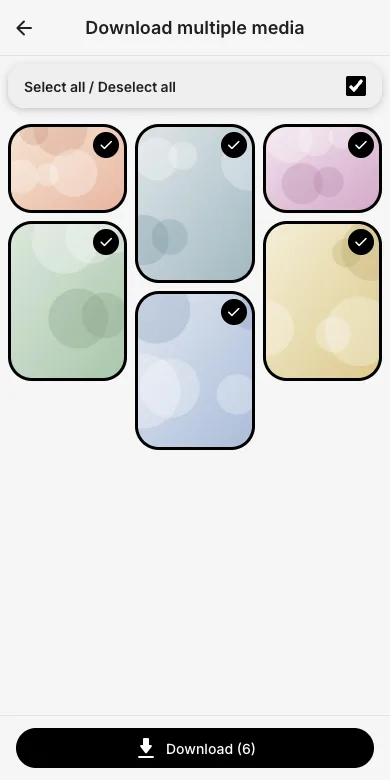
Open Download multiple media from the event menu and tap Select all, then Download.
2. Choose the ZIP option
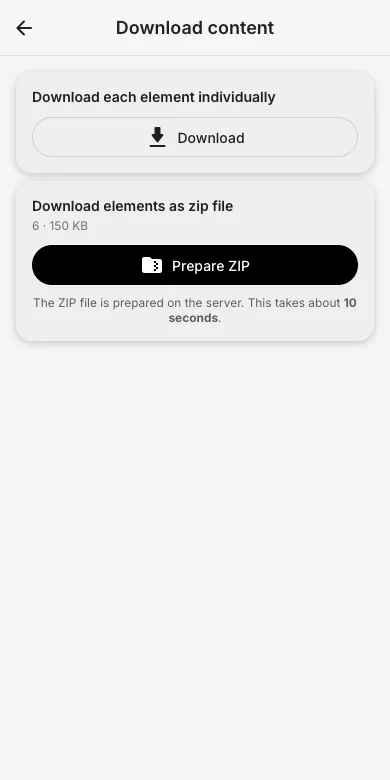
Pick Download elements as zip file and tap Prepare ZIP. The archive is built on the server (about 10 seconds for small events) and then downloads as one file. Alternatively, download each element individually.
3. Good to know
Everything is stored and exported in original quality. Guests need download permission for this; admins can always export the full event.
Try it yourself
EventPics is free to start: 2 GB storage, unlimited guests, upload in the browser or the app.
Open EventPics