Download Photos and Videos
Last updated: August 5, 2026
All media is stored in original quality, and you can get it back out just like that. Guests need download permission; as admin you can always download everything.
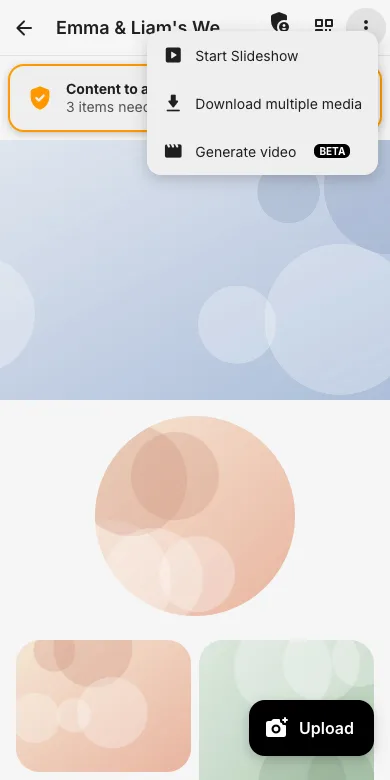
1. Open the event menu
On the event page tap the three-dot menu and choose Download multiple media.
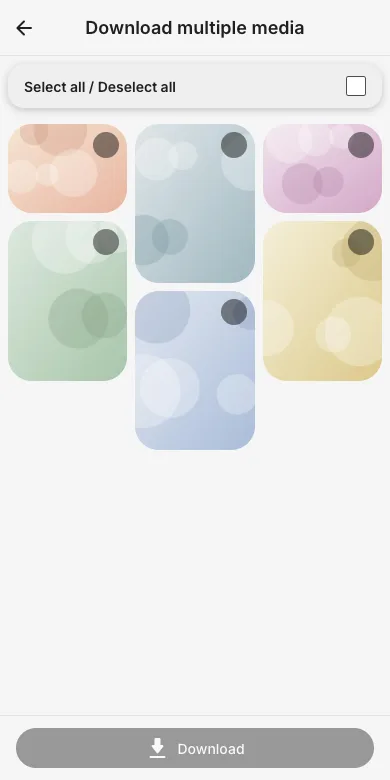
2. Select and download
Select individual photos or use Select all, then tap Download. Your browser saves the files in original quality.
3. Tip: single photos and ZIP
A single photo can also be downloaded from its full-screen view. Admins additionally find a complete ZIP export of the whole event, handy after the party.
Try it yourself
EventPics is free to start: 2 GB storage, unlimited guests, upload in the browser or the app.
Open EventPics