Event Duration and Expiry
Last updated: August 5, 2026
Every event has clear phases so you always know how long the photos stay online. The admin area shows the exact dates for your event.
1. Check your dates
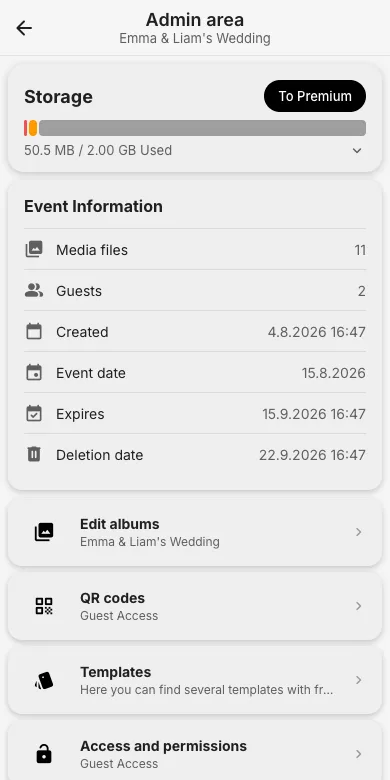
The Event Information card in the admin area lists the creation date, the event date, the Expires date and the final Deletion date. Free events store photos for a limited period after the event; afterwards there is a grace window before deletion.
2. Change the event date
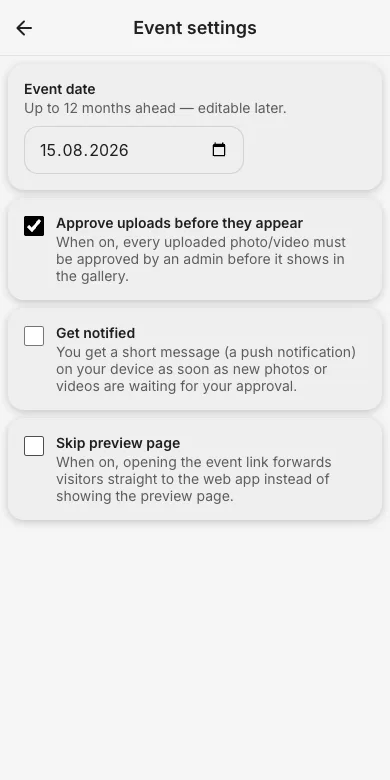
In Event settings you can move the event date (up to 12 months ahead) and the phases shift accordingly. Handy when the party gets postponed.
3. Remove the expiry with Premium
A Premium package removes the expiry for as long as it is active and adds more storage. Download everything anytime via the ZIP export.
Try it yourself
EventPics is free to start: 2 GB storage, unlimited guests, upload in the browser or the app.
Open EventPics