Upgrade to Premium
Last updated: August 5, 2026
Free events include 2 GB of storage. Premium adds more storage (10 GB to 200 GB), unlimited storage duration while active, no ads, and is cancelable at any time.
1. Open "To Premium"
In the admin area, the storage bar at the top shows your current usage. Tap To Premium next to it.
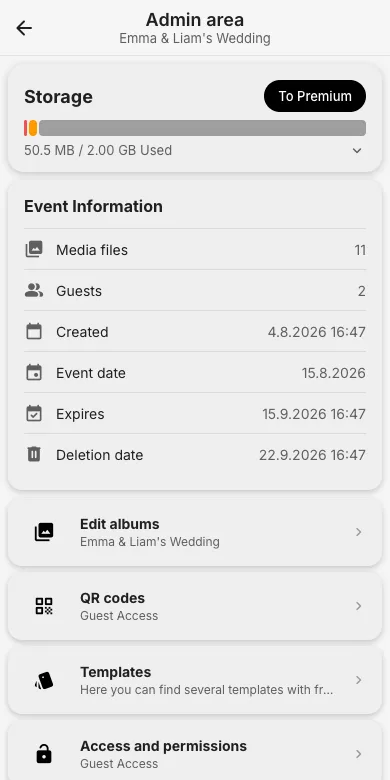
2. Pick a package
Choose a storage size and decide between monthly and yearly billing (yearly saves 17%). The page lists exactly what is included.
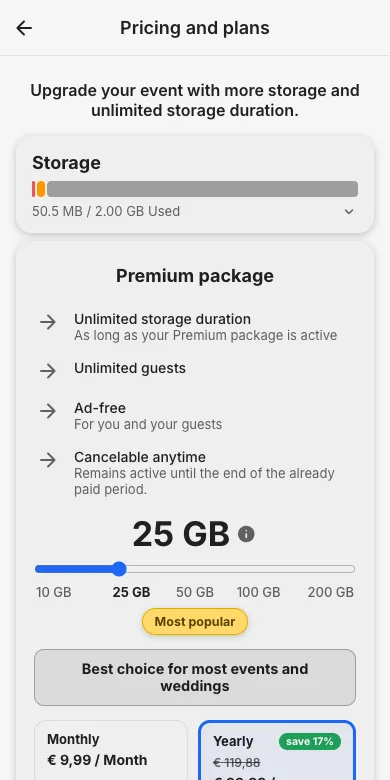
3. Secure checkout
Tapping the start button opens the secure checkout powered by Paddle (our merchant of record). Enter your billing details there to complete the subscription; it renews automatically unless canceled before the end of the current term.
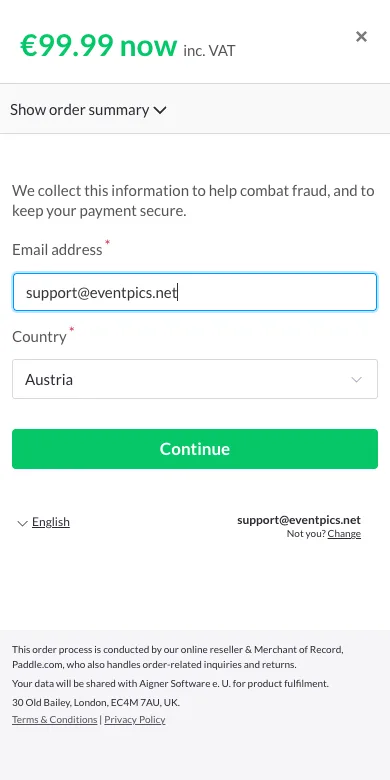
Try it yourself
EventPics is free to start: 2 GB storage, unlimited guests, upload in the browser or the app.
Open EventPics