Upload Approval (Moderation)
Last updated: August 5, 2026
With upload approval enabled, every uploaded photo or video must be approved by an admin before other guests can see it. Uploaders always see their own pending items, marked "Not yet reviewed".
1. Enable it in the event settings
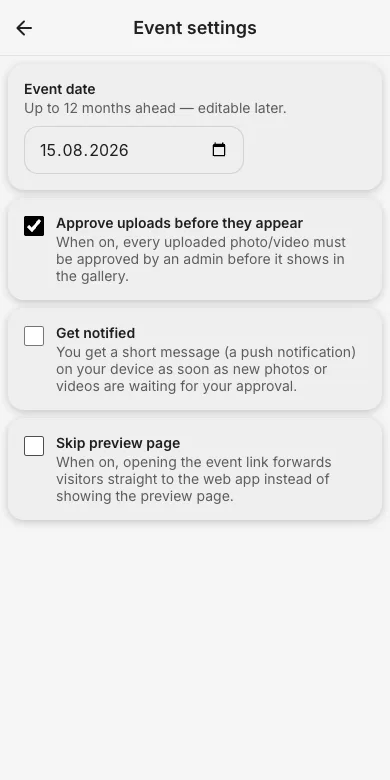
In the admin area open Event settings and switch on Approve uploads before they appear. Optionally enable Get notified to receive a push notification as soon as new items are waiting. You can also enable approval directly in step 4 when creating the event.
2. What guests see
After uploading, guests get the note that their pictures become visible once an admin approved them; in the gallery their own items carry a "Not yet reviewed" badge.

3. Approve or reject
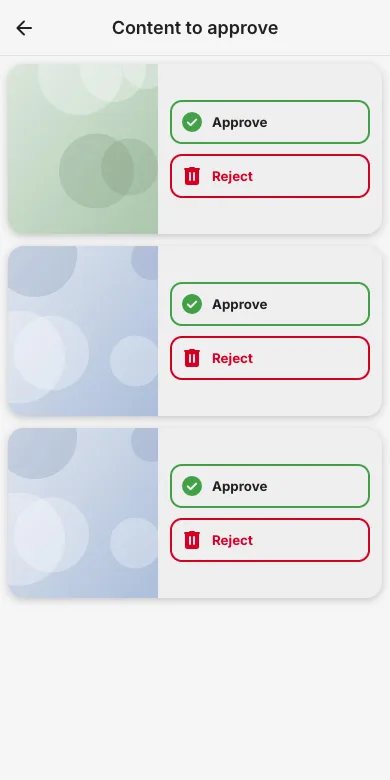
As admin you see a Content to approve banner on the event page and the matching section in the admin area. Open it, review each item and tap Approve or Reject.
Try it yourself
EventPics is free to start: 2 GB storage, unlimited guests, upload in the browser or the app.
Open EventPics