Set Up a Custom Link
Last updated: August 5, 2026
A custom link is readable and memorable: perfect for invitations, posters and social media. It is not listed anywhere and not indexed by Google; note that it is easier to guess than a random link.
1. Open the custom link dialog
In Access and permissions (or directly on the QR codes page via "Activate custom link") tap Custom link.
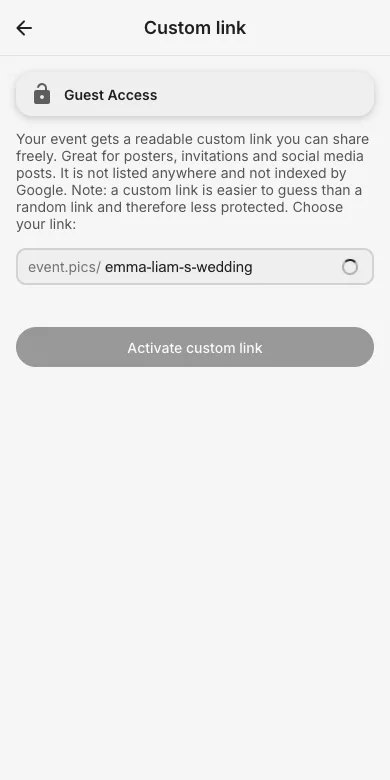
2. Pick your link
Enter your desired name; availability is checked live. After saving, the new link works immediately and the QR codes update automatically.
3. When to prefer the random link
For private parties where nobody should guess the URL, the random link is the safer default. You can switch back anytime.
Try it yourself
EventPics is free to start: 2 GB storage, unlimited guests, upload in the browser or the app.
Open EventPics