Find and Share Your QR Code
Last updated: August 5, 2026
Every event has a link and a matching QR code. Guests scan the code with their phone camera and land directly in your gallery, no account needed, in the browser or the app.
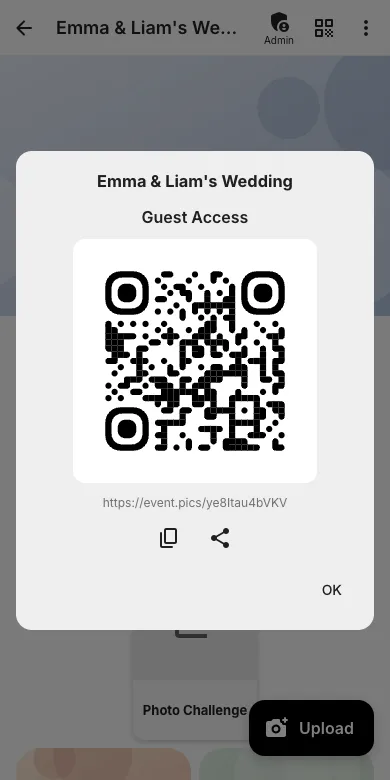
1. Tap the QR icon
On the event page, tap the QR code icon in the top bar. The dialog shows the code and the link. From here you can copy the link or share it straight to WhatsApp & Co.
2. Print templates
In the admin area under QR codes and Templates you will find printable table cards and posters with freely editable text, perfect for weddings and parties.
3. What guests experience
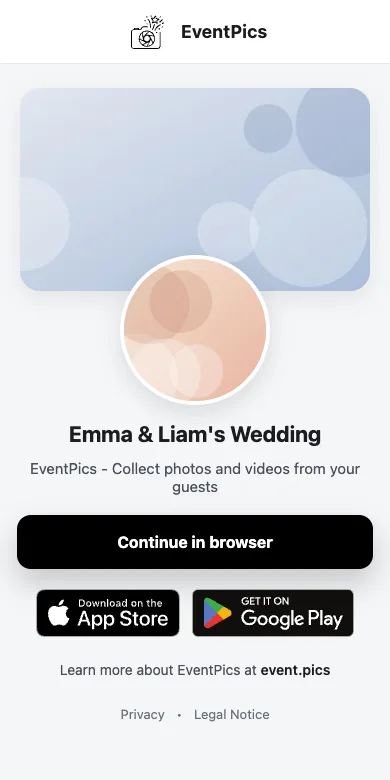
Scanning the code opens the event preview page; one tap on "Continue in browser" and they are in the gallery. The full guest flow is described in the guest guide.
Try it yourself
EventPics is free to start: 2 GB storage, unlimited guests, upload in the browser or the app.
Open EventPics