Free New Year’s party photo sharing with QR code
With EventPics you collect all photos and videos of your New Year’s party in one private album. Guests just scan the QR code, upload in seconds and you keep every perspective in original quality — no compression and no scattered chats.
The album is set up in minutes, works in the browser or via app and stays accessible after the event. Place QR codes on tables, ask friends to remind guests and start a live slideshow on TV or projector so every snapshot becomes a shared memory.



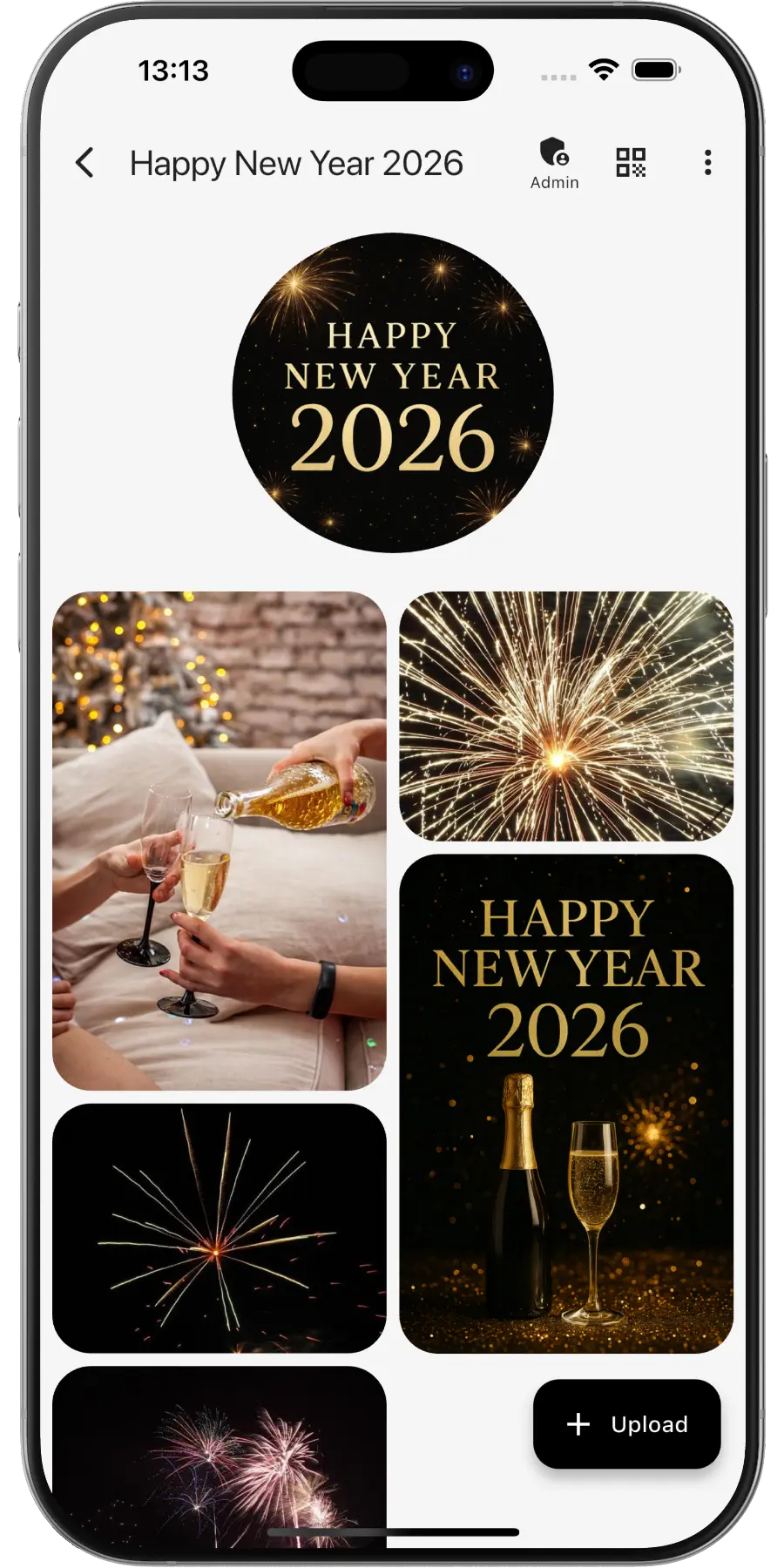
Create a private online photo gallery for your New Year’s party – everyone can upload and view photos. Hosting a different kind of celebration? Here is the QR code for party pictures.
EventPics by the numbers
Real people already trust their shared event album to EventPics.
These figures come from our own usage statistics and are updated continuously. As of .
What users say
Wedding
„It's a great app and the customer service is one of the best I've ever experienced! Highly recommend for any bride/groom to use for their big day!“
Millie7891 · App Store
Family gathering
„When you have an open house gathering and all your family members are hosting, topping up food/ drinks etc, you dont have time to take photos of the guests who attended. With eventpics, just print a bunch of QR codes, scatter them all over the house and just watch your album filled up with pics of happy, well fed guests.“
Zul A · Google Play
Support
„This app worked well for gathering pics from 2 events. The only downside is that once uploaded you can't see who uploaded them. We had a small issue logging on initially but support was quick and solved. I judge a site by its service and they did well!“
Caroline Bareham · Google Play
How it works
1. Create event
Create an event titled “New Year party”. A QR code and link are generated automatically.
2. Share QR or link
Friends scan or open the link and upload instantly – no account needed.
3. Upload & enjoy
Original quality, 2 GB free – Premium available anytime.
Why New Year’s photos get lost
New Year’s Eve is the one night when everyone takes pictures at the same moment: the countdown, the first toast, the fireworks. That is exactly the problem. Dozens of almost identical midnight videos sit on dozens of phones, half the guests have gone home by two in the morning, and on 1 January nobody remembers who filmed the best rocket. Group chats compress the clips and bury them under good wishes from relatives. With one QR code for the night, guests upload as they go, the shots arrive in original quality, and on New Year’s Day you have the whole party in one album instead of a chat history to scroll through.
Celebrating with colleagues before the holidays? See Christmas party photo sharing.
QR code for your New Year’s party
- Create the event in EventPics and the QR code is ready. Send it with the invitation or pin it in the party chat.
- Want something festive? Design a custom version with the QR Code Generator, linked to your album.
- Never shared an event album before? Here is how to share event photos with every guest.
- At the party, stick the code next to the drinks, on the fridge, by the coat rack and at the door to the balcony or garden where people go for the fireworks.
New Year’s Eve moments to capture
- Guests arriving in party outfits, glitter and paper hats included
- The dinner, fondue or raclette table early in the evening
- Party games and the dance floor before midnight
- The last ten seconds of the countdown, best as a video
- Clinking glasses and hugs right at midnight
- Fireworks over the street, the city or the lake
- Sparklers drawing light trails for long-exposure fun shots
- The late-night group photo of everyone who made it to the end
Tips for your New Year’s party album
- Share the link with the invitation, so guests can open it once while everything is still calm.
- Mobile networks are often busy right at midnight. Tell guests to film the fireworks first and upload later in the night or on New Year’s Day.
- Play a live slideshow on the TV, so the pictures of the evening run in the background.
- On 1 January, post the album link in the group chat. Guests who left early can catch up and add their own photos.
- Download everything as a ZIP or create a highlight video, a perfect start for your year-in-review clip.
Frequently asked questions (FAQ)
Do guests need an account?
No. Guests scan the QR code or open the link and can upload right away. The app is optional, everything also works in the browser.
How much is free?
2 GB of storage (about 500 phone photos) is always free. Free events have a 6-week event phase, and for planned dates an additional planning phase is included beforehand. With Google Drive connected, every photo and video also lands in your own Google Drive and stays there, even after the event expires. All details on the event phases. You can upgrade to Premium any time, plans start at 4.99 EUR per month and you can cancel any time.
Is the original quality preserved?
Yes. Photos and videos are stored in original resolution, unlike the compressed versions that end up in group chats.
Can guests upload their fireworks videos?
Yes. Videos are supported alongside photos, and the original files stay intact.
Can guests still upload on New Year’s Day?
Yes. The album stays open after the party. Free events have a 6-week event phase, so there is plenty of time for late uploads.
Can we play the photos on the TV during the party?
Yes. Start the live slideshow on a TV or projector, and new uploads appear while the party is still going.