Free sports event photo sharing with QR code
With EventPics you collect all photos and videos of your sports event in one private album. Guests just scan the QR code, upload in seconds and you keep every perspective in original quality — no compression and no scattered chats.
The album is set up in minutes, works in the browser or via app and stays accessible after the event. Place QR codes on tables, ask friends to remind guests and start a live slideshow on TV or projector so every snapshot becomes a shared memory.



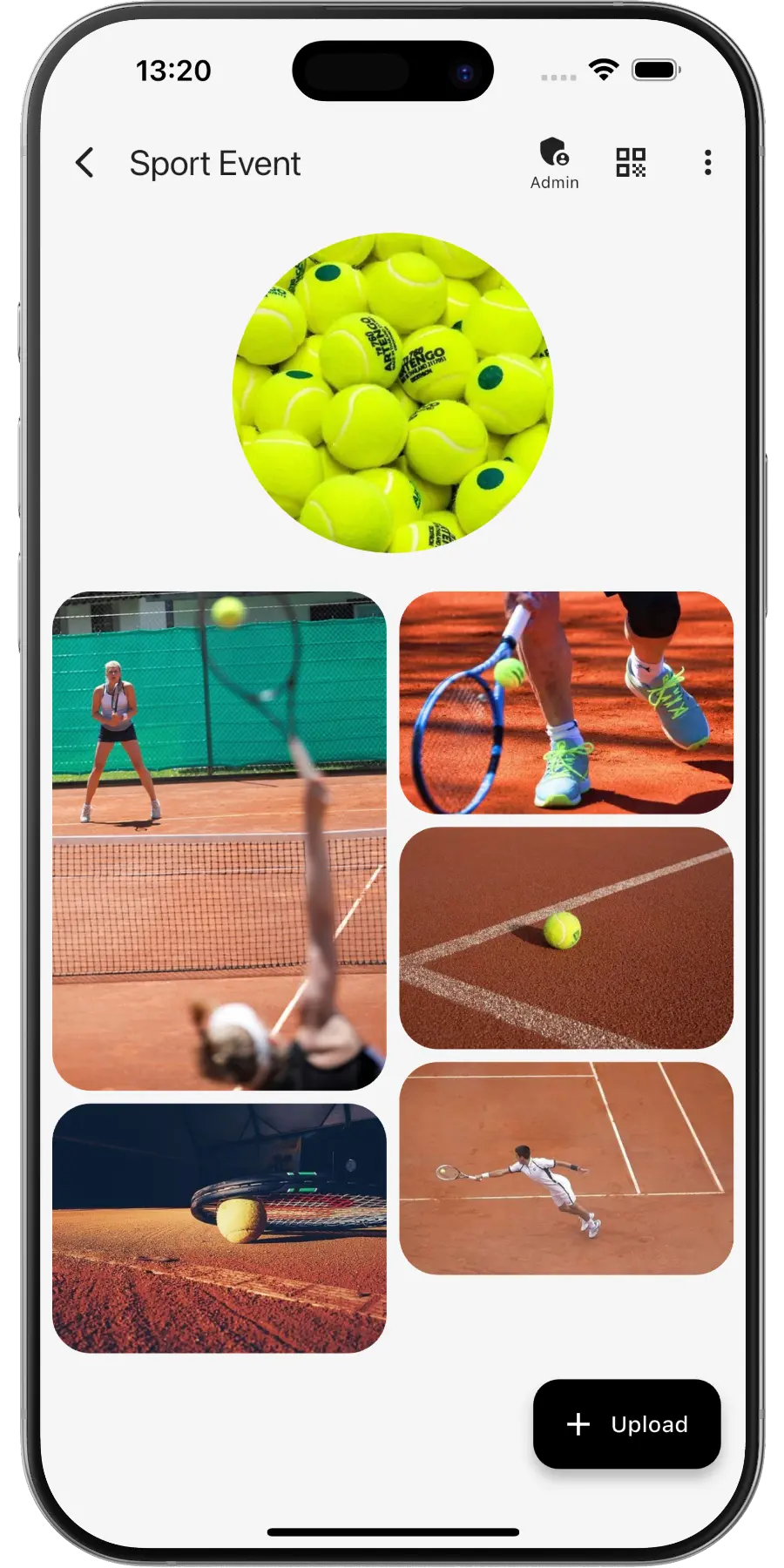
Create a private online photo gallery for your sports event – team members and fans can upload and view photos.
EventPics by the numbers
Real people already trust their shared event album to EventPics.
These figures come from our own usage statistics and are updated continuously. As of .
What users say
Wedding
„It's a great app and the customer service is one of the best I've ever experienced! Highly recommend for any bride/groom to use for their big day!“
Millie7891 · App Store
Family gathering
„When you have an open house gathering and all your family members are hosting, topping up food/ drinks etc, you dont have time to take photos of the guests who attended. With eventpics, just print a bunch of QR codes, scatter them all over the house and just watch your album filled up with pics of happy, well fed guests.“
Zul A · Google Play
Support
„This app worked well for gathering pics from 2 events. The only downside is that once uploaded you can't see who uploaded them. We had a small issue logging on initially but support was quick and solved. I judge a site by its service and they did well!“
Caroline Bareham · Google Play
How it works
1. Create event
Create an event titled “Sports event”. A QR code and link are generated automatically.
2. Share QR or link
Team, helpers and fans scan or open the link and upload photos.
3. Upload & enjoy
Original quality, 2 GB free – Premium available anytime.
Why sports photos are so hard to collect
Sport happens fast and everywhere at once. During a tournament three pitches run in parallel, at a fun run the field is spread over several kilometres, and nobody can stand at the start, the finish and the podium at the same time. Parents and fans on the sideline catch the decisive goal, team mates film the penalty shootout and a volunteer at the water station gets the best shots of tired runners. Without a shared album these pictures stay on individual phones. With one QR code they land in a single gallery in original quality, ready for the club website, the season review and the athletes themselves.
Running a school sports day? See school event photo sharing. For multi-day open-air events there is the festival photo app.
QR code for your sports event
- Set up the event in EventPics and the QR code is created automatically, ready for start number sheets, team lists or the match schedule.
- Prefer your club colours? Build a custom code with our QR Code Generator and point it at your album.
- Organising this for the first time? Read how to share event photos with players, fans and volunteers.
- Put printed codes at the registration desk, the finish line, the team benches and the food stand.
Shots that make a great sports recap
- The warm-up and the team huddle before kick-off or the start gun
- The mass start of a run or the first serve of a tournament
- Goals, tries and finishes: a short video catches them better than any photo
- Fans and families with banners and flags along the sideline
- Coaches giving instructions at half time
- Volunteers at the water station, the scoreboard and the grill
- The award ceremony with podium, trophies and medals
- The muddy, sweaty, happy team photo after the final whistle
Tips for clubs and tournament organisers
- Print the QR code on the schedule or the start number sheet, so every participant has it without extra paper.
- Ask the announcer to mention the album between matches. Spectators have time and a phone in their hand then.
- Send the link to every team captain before the event and ask them to share it in their team chat.
- Show a live slideshow on a screen in the clubhouse or next to the results board. It keeps people around until the award ceremony.
- After the event, download everything as a ZIP for the club archive and create a highlight video for the season review.
Frequently asked questions (FAQ)
Do players and fans need an account?
No. They scan the QR code or open the link and upload straight away. The app is optional, everything also works in the browser.
How much is free?
2 GB of storage (about 500 phone photos) is always free. Free events have a 6-week event phase, and for planned dates an additional planning phase is included beforehand. With Google Drive connected, every photo and video also lands in your own Google Drive and stays there, even after the event expires. All details on the event phases. You can upgrade to Premium any time, plans start at 4.99 EUR per month and you can cancel any time.
Is the original quality preserved?
Yes. Every photo stays in its original resolution, so you can still crop a fast action shot for the club website.
Can spectators upload videos of the match?
Yes. Videos are supported alongside photos, and the original files stay intact.
Can we show the photos at the award ceremony?
Yes. Start the live slideshow on a TV or projector and new uploads appear while the event is still running.
Is the free storage enough for a whole tournament?
The free plan includes 2 GB per event, about 500 photos. If many teams and fans upload, Premium plans start at 4.99 EUR per month and can be cancelled any time.
Can a photo booth at the club party upload automatically?
Yes. A photo booth can send its pictures via the Folder Uploader or the EventPics API. The invitation link is meant for guests, not for the booth.