Manage or Cancel Your Subscription
Last updated: August 5, 2026
Premium subscriptions are cancelable anytime and remain active until the end of the paid period. Billing is handled by Paddle, our merchant of record.
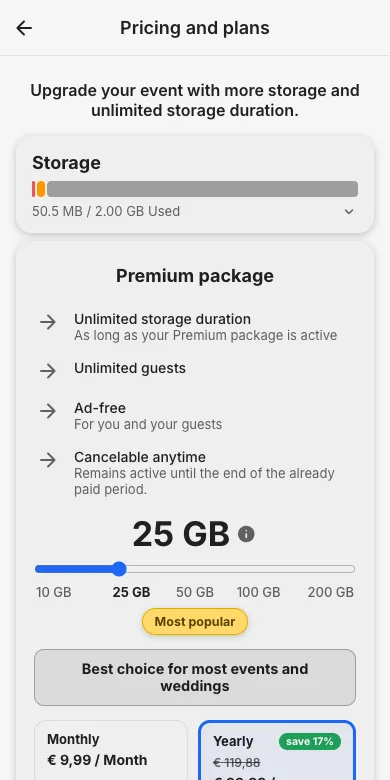
1. See your plan
The Pricing and plans page (via the storage bar in the admin area) shows your active package, your storage usage and the renewal terms.
2. Cancel anytime
Every Paddle receipt email contains a link to manage the subscription: update the payment method or cancel with two clicks. You can also use our cancellation page or simply email [email protected] from your account address.
Please include your Support Code. You’ll find it in the app and the web app in the left-hand menu under “Feedback”.
3. What happens after canceling
The package stays active until the end of the paid period. Afterwards the event returns to the free plan rules; your photos are not deleted immediately. Check duration and expiry and export a ZIP in time.
Try it yourself
EventPics is free to start: 2 GB storage, unlimited guests, upload in the browser or the app.
Open EventPics